
Compatibility
Minecraft: Java Edition
Platforms
Supported environments


Tags
Creators
Details
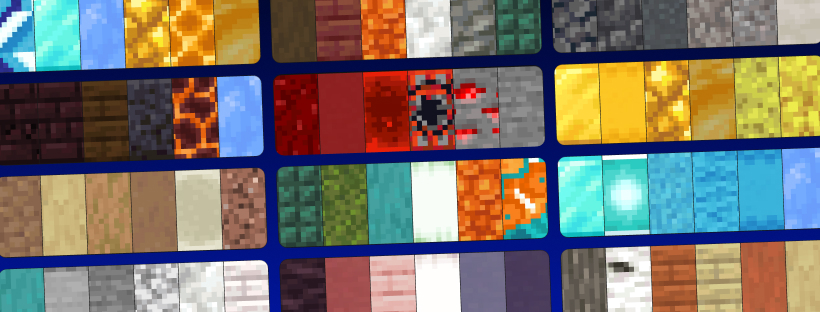
Find, generate, analyse, and share Minecraft block palettes — without leaving the game.
Palettinator brings palettinator.com — the free, ad-free block & colour palette generator — straight into Minecraft, as both chat commands and a full in-game GUI.
Stuck on which blocks go together? Generate a palette, ask the mod what's wrong with it, preview it in the world, and build. Made something great? Publish it to the site in one command.
⚠️ Alpha: early access and under active development. Most things work; a few are still missing (e.g. the very newest 26.2 blocks). Feedback welcome!
✨ Features
🎨 Generate & explore
- Generate palettes —
/palette generatemakes a fresh, colour-coordinated palette and loads it into your hotbar. Seed it from a colour (/palette generate blue) or from the block in your hand (/palette generate hand). - Gradients —
/palette gradient white_concrete blue_concretebuilds a smooth colour ramp between two blocks. No args = a gradient between your main hand and off-hand. - Scan an existing build —
/palette capturegives you the Palette Scanner: select two corners of any structure and its most-used blocks load straight into your hotbar as a palette. - In-world preview —
/palette build <#>places a palette as a temporary strip in front of you so you can see the blocks together; it auto-clears (or/palette clear).
🌍 Community
- Search —
/palette search cozyfinds palettes by name, tag, creator, or number, with a colour preview right in chat — hover any square to see the block, click a line to load it. - Load into your hotbar —
/palette get 73286drops a palette's blocks into your hotbar. (Survival gives one of each; creative gives full stacks. Big palettes come as a bundle.) - Publish & update — arrange blocks in your hotbar, then
/palette publish "Cozy Cabin" medieval,oak A snug little build. It goes live on your palettinator.com profile with a clickable link./palette update 42refreshes an existing one. - Browse, like & roll —
/palette browse top,/palette mine,/palette like 42,/palette rollfor instant inspiration.
🔬 Analyse your palette
/palette analyze reads the blocks in your hotbar the way an experienced builder would, and tells you what's actually wrong with them.
- It understands texture, not just colour. It knows stone bricks are patterned, cobblestone is rough and concrete is featureless — so it can tell deliberate texture work apart from two blocks that genuinely repeat the same tone.
- It checks what builders check: light-to-dark range, missing darks and highlights, holes in the value ramp, hue harmony, saturation balance, palette size, and whether a loud accent has anything quiet to sit against.
- Every problem comes with a fix. Suggestions are real building blocks, ranked so common ones win — click one to load it straight into your hotbar.
- See it, not just read it. With the mod installed client-side, the command opens a colour chart with your blocks plotted on it: hue across, stronger colour towards the top, greys along the bottom. Blocks clustered together are a harmony, blocks strung across the width are the "hues pull in different directions" warning, and blocks half a width apart are complements. Hover any one for its surface, lightness, hue and role.
- Works on saved palettes too:
/palette analyze 42. - Vanilla clients get everything except the chart — all the findings arrive in chat, with the same clickable fixes.
🖥️ Built-in GUI (install client-side)
Press P in-game to open the Palettinator browser — a native UI that mirrors the website:
- Browse — searchable grid of palette cards with real block textures, author, and a clickable ❤ like button.
- Build — six slots you can fill by clicking (block picker with live search) or with Generate (watch the slots spin like a slot machine and land on a fresh palette). Then Load to hotbar, Build preview, or Analyse.
- Analysis view — the colour chart with your blocks plotted on it and every finding listed beside it. Opens from the Analyse button or straight from
/palette analyze. - Palettes — your own creations. Likes — everything you've hearted.
- Click any palette for a detail view with a big block grid, load/preview, like, and "Open on site".
The keybind is rebindable under Options → Controls → Palettinator.
🟢 Works on vanilla clients — no install required for players
Install it on your server and every player can use the commands, even on a completely vanilla client — it's all chat commands, clickable links, and colour swatches. No resource pack required. Installing it client-side additionally unlocks the GUI above. (Singleplayer: just install it normally.)
⌨️ Commands
| Command | What it does |
|---|---|
/palette analyze [#] |
Colour & texture read of your hotbar (or a saved palette) |
/palette search <query> |
Find palettes (name, tag, creator, or #id) |
/palette browse <top|new|old> [query] |
Browse palettes by sort |
/palette get <#> |
Load a palette into your hotbar |
/palette build <#> |
Preview a palette in the world (auto-clears) |
/palette clear |
Remove your in-world preview now |
/palette generate [colour] |
Generate a new palette (optionally from a colour) |
/palette generate hand |
Generate from the block you're holding |
/palette gradient [from] [to] |
Gradient between two blocks (no args = both hands) |
/palette capture |
Get the Palette Scanner — select two corners to read a build's palette |
/palette roll |
Generate a random palette |
/palette mine |
Browse your own palettes |
/palette like <#> |
Like / unlike a palette |
/palette publish <title> [tags] [desc] |
Publish your hotbar as a new palette |
/palette update <#> |
Update one of your palettes |
/palette link |
Connect your Palettinator account |
/palette help |
Show all commands |
/palettinator works as the full command name too, and /palette analyse is accepted as well.
🔗 Publishing to your account
Publishing/updating is tied to your Palettinator account. Run /palette link, click the link in chat, sign in, and approve — that's it. You can revoke access anytime in your account settings. Browsing, generating, analysing, previewing, and loading palettes need no account at all.
🛡️ For server admins — permissions & config
- Permissions (LuckPerms): every command has a node —
palettinator.command.analyze,palettinator.command.build,palettinator.command.publish,palettinator.command.generate, etc. — so you can grant/deny per group. Without a permissions mod it falls back to sensible defaults (in-world build defaults to operators whenbuildRequiresOpis set). - Config (
config/palettinator.json): toggle commands on/off, require op for in-world building, set per-action cooldowns, and tune the preview's lifetime and block cap. - Language (
config/palettinator-lang.json): reword or translate every chat string the mod sends. - Survival-friendly: loading a palette gives one block each in survival (no free stacks), full stacks in creative.
📦 Requirements
- Minecraft 26.1.2 or 26.2 (Fabric)
- Fabric Loader 0.19.0+
- Fabric API
- Java 25+ (required by Minecraft 26.x)
🧩 Install
Server: drop the Palettinator jar and Fabric API into your server's mods/ folder and restart. Players need nothing (the GUI is optional, client-side).
Singleplayer / client: put both into your client mods/ folder, then press P in-game.
Made with ❤ for builders. Palettinator is free and ad-free — support it here.